|
EdGate
Training Materials
EdGate
Training Materials are available for every
Community Education Gateway
customer. Follow
the directions below (read
all steps before clicking!)
to access
tips, step-by-step instruction
sheets and PowerPoint presentations to share
with
your group.
1) Click on:
EdGate Training Materials
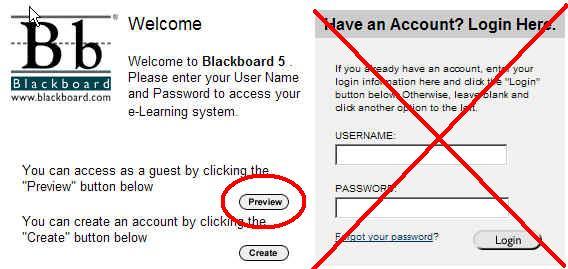
2) When you arrive at this login screen,
click on
button.
This allows
you to enter as a Guest rather
than as a registered student. All modules
are
available to you without logging on.

3. If you do not get the list of documents, please select Course Material
from
left hand menu
4. You can download any of the documents on
the list. If you have any other
training
questions, contact the Administrator for
your Community Education
Gateway in your
agency.
Enjoy!
If you have any questions, contact
customercare@edgate.com
|